
365CUCI | Slot, Fishing, Live Casino and Sports Guides
The 365CUCI guides help you recognise a game or provider name and determine which rules, score period or event record explain the label on your screen.

Pick a 365CUCI guide from the card name
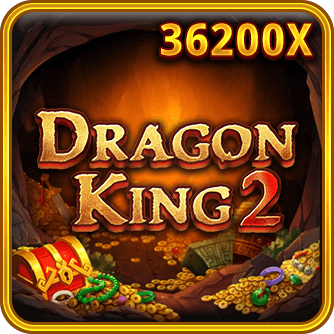
Dragon King 2 appeared in the RSG group of the Slot listing previously observed on 365CUCI. The Slot guide helps you keep the full name when you need to check the rules for a symbol or grid. The JILI Event Game menu also included Tembak Ikan and showed a Mega Fishing card. Use the Fishing guide when you need to understand a target name, a shot or a named event on that kind of display.
An Evolution logo identifies a provider on a Live card. A question about a particular round also needs the full table title and the phase shown in the capture. The Live Casino guide helps you distinguish a card reveal from the result field that is recorded when the event finishes.
BET33 appears on a Sportsbook card. The observed menu also contained cards marked as Other even though the graphics shared a Sportsbook footer. Read the card name as a label, then go to the Sports guide to check the fixture, competition and period beside any score you need to interpret.
| Name you can see | Detail to check next |
|---|---|
| Dragon King 2 | Full title for the symbol rules |
| Mega Fishing | Action and event name |
| Evolution | Table title and round phase |
| BET33 | Fixture and result period |



365CUCI Guides

How to Preserve a Demo Label in a 365CUCI Screenshot
Keep the visible Demo label and a link to the original when organising or cropping 365CUCI screenshots.
Read the guideKeep the full game name when a word repeats
The Dragon King 2 card in the 365CUCI Slot guide includes a numeral as part of its name. If a screenshot is saved as Dragon King, recover the complete words from the caption or card before searching for rules. Keep RSG with the title when that label is visible. An exact match on both details gives you a better reference than a search result based on artwork alone.
JILI uses the name Special Octopus Wheel in the descriptions for Mega Fishing and Happy Fishing. A feature title on its own could lead you to either entry. Record the game title along with the feature name before comparing the two pages. The shared label can help you find the relevant section after you know which game you are researching.
Evolution uses Baccarat in more than one product title. If a heading says Peek Baccarat, retain the word Peek and any label that identifies the table or edition. A familiar layout or a provider logo can narrow the search, but the complete title lets you select the exact reference before reading the rules.
Match your source to the question
The 365CUCI Fishing examples provide different terms for different searches. JILI’s Mega Fishing page lists Special Octopus Wheel, while its Royal Fishing entry describes a wheel connected to the Money Dragon King. Choose the entry that carries the game title and then find the words shown on your screen. That tells you which named rule is being described.
Evolution’s Peek Baccarat entry distinguishes a partial reveal from the later result announcement. An image from the reveal phase can show some cards before the round is complete. If you are investigating the result, look for a completed entry carrying that round’s reference. The phase label tells you what stage of the round the earlier image captured.
IFAB Law 7 explains why time allowed for interruptions belongs to the relevant half. A fictional 45+3 entry shown in the first half is added time in that half, while an ET heading can refer to extra time after regular play. Check the applicable market’s full period if the question concerns which score it treats as the result. The match clock and the market label represent different pieces of information.
Separate the named event from an amount posted later
Special Octopus Wheel in the 365CUCI Mega Fishing example is a feature name. Imagine a capture showing the wheel animation but no matching amount in the record. The image identifies the event being shown, and the later entry for that same event is where you would look for the posted value. If the entry is unavailable, keep the label and mark the amount as unconfirmed.
Suppose a fictional record shows three credits associated with one event and three credits on a separate adjustment line. Preserve the reference and entry type beside each amount before combining anything. Equal values alone cannot show that the adjustment came from the same event. A matching reference plus a clear entry label helps explain why a number appears in the record.
A rules panel and an account notification can both use the word Bonus. If the word appears beside a game event, read the rule for that title to understand what the label describes. If it appears in a separate notification, use that notification’s heading and terms. Check the unit and reference on any credit entry before connecting it to either screen.
Check whether two saved captures belong to the same event
Two tables could show the same round number within the same minute. In a 365CUCI Live Casino example, write the complete table name next to the round number before you compare a partial Peek Baccarat capture with a completed record. Save the time and zone as displayed if they are available. If the table identifiers differ, treat the records as separate even when the round numbers look identical.
A fictional football fixture originally scheduled for Friday may be moved to Sunday. If the notice carries the same fixture reference, attach the new date to that entry and keep the original date as part of the history. If the reference changes or is absent, compare the participants and competition before combining the two listings. The newer date alone gives no information about the final result.
A publisher may mark a result as corrected. Compare the two event references and write down the field that changed, such as the period label or the value beside it. A screenshot forwarded later can still carry the original version. If an identifier is obscured, retain the two captures separately until the event can be matched.
FAQ
Can I change language without leaving the category?
Yes. Choose BM or EN on the category page to open the equivalent guide in the other language.
How do I share the English Slot guide directly?
Open the English guide and copy the address ending in /en/slots/. The recipient can use it without changing language first.
Do the game card images start a game?
The images show game titles and provider names. Use the adjacent text links to open the related guides.
Where can I read about taking a break?
The Responsible Gaming guide explains practical limits and ways to step away. Speak to someone you trust if checking results begins to affect your routine.